Popular Posts
Popular Posts Text
Popular Posts Description
Throwaway Email is a temporary, disposable email address that lets you receive Temp mail without using your personal inbox
100% Free - No Subscription Needed
73,991
Emails Created
41,931
Messages Received
Sender
Subject
Time
Waiting for incoming emails
Throwaway Email provides you with a temporary, disposable email address that you can use for quick registrations, downloads, or verifications. It keeps your real inbox safe from spam, ads, and phishing emails
Throwaway Email is a 100% safe, secure, and anonymous email solution that gives you a temporary inbox without revealing your real email address.
Throwaway Email offers instant access to a temporary, secure email address and spam-free. Fast, free, and 100% anonymous.
Throwaway Email with custom domains lets you generate temporary email addresses using unique domain names for added privacy and flexibility. Instantly access inboxes
Throwaway Email is a simple and free solution for creating temporary email addresses. No sign-up, no hassle—just instant access to a disposable inbox that protects your privacy and keeps spam out of your real inbox. Fast, secure, and easy to use.
Throwaway Email offers unlimited usage with no restrictions—create as many temporary email addresses as you need, anytime. Perfect for continuous sign-ups, testing, or anonymous browsing, all while keeping your real inbox safe and spam-free. Fast, private, and always free.
Throwaway Email now includes a Favorites feature, allowing you to save and reuse your preferred temporary email addresses. Instantly mark important inboxes and access them anytime without losing messages.
Popular Posts Description
Learn how to use free throwaway email generators, disposable mail, and temporary email safely and effectively.
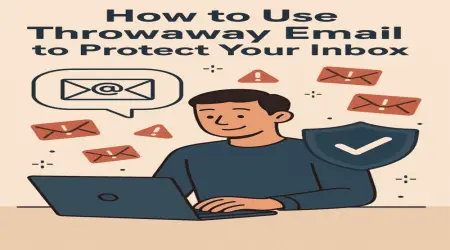
In today’s online world, protecting your primary email account from spam, phishing, and data leaks is more important than ever. A throwaway email serves as a temporary solution, allowing you to sign up for services, receive confirmation messages, or participate in online activities without revealing your real email address.
Temporary email services generate an address on a provider-controlled domain and present a web-based inbox to the user. Any incoming messages can be read instantly and are automatically deleted after a short period. This ensures your real email remains private while allowing you to receive essential messages.
Temporary emails are highly versatile. Here are the most common scenarios where they shine:
While temporary emails protect your primary inbox, users should be aware of certain limitations. Never send sensitive data such as passwords or banking information through temporary email services, as most of them do not provide full encryption or permanent storage.
Maximize the benefits of throwaway emails with these strategies:
Q: Can I use a throwaway email for social media accounts?
A: Temporary emails are usually not recommended for permanent accounts because the inbox will expire and you may lose access to account recovery messages.
Q: How long do temporary emails last?
A: Duration varies by provider; some last a few minutes, others for several days.
Q: Is it safe to click links in temporary emails?
A: Generally yes, but treat any email as potentially unsafe and avoid entering sensitive information.